Netfabb's Duplication dialog for creating multiples of a part
The amount and arrangement of duplicates is configurable, either by specifying the total amount, or by specifying the amount of rows, columns, and stack height.
- Select the part, or parts, to duplicate.
- Navigate to , or pick Duplicate from the selection's context menu.
- Specify the total amount of parts you would like to have, including both original and duplicates. If required, modify the placement options below.
- Hit Duplicate.
Options to place the duplicates include:
- Arrangement with respect to the original part. Parts can all be placed with their origins in the same position so that they all overlap, be lined and stacked up towards the positive or negative of the cardinal axes, or equally in all directions with the original in the middle.
- Set amount of rows, columns, or stack height. Parts will be arranged to match the specified X by Y by Z values. To adapt the total amount of parts to any changes here, make sure to tick Auto-adjust Total Count.
- Spacing between parts. If required, modify by either setting Gaps (measured between outbox borders) or Distances (measured between part origins).
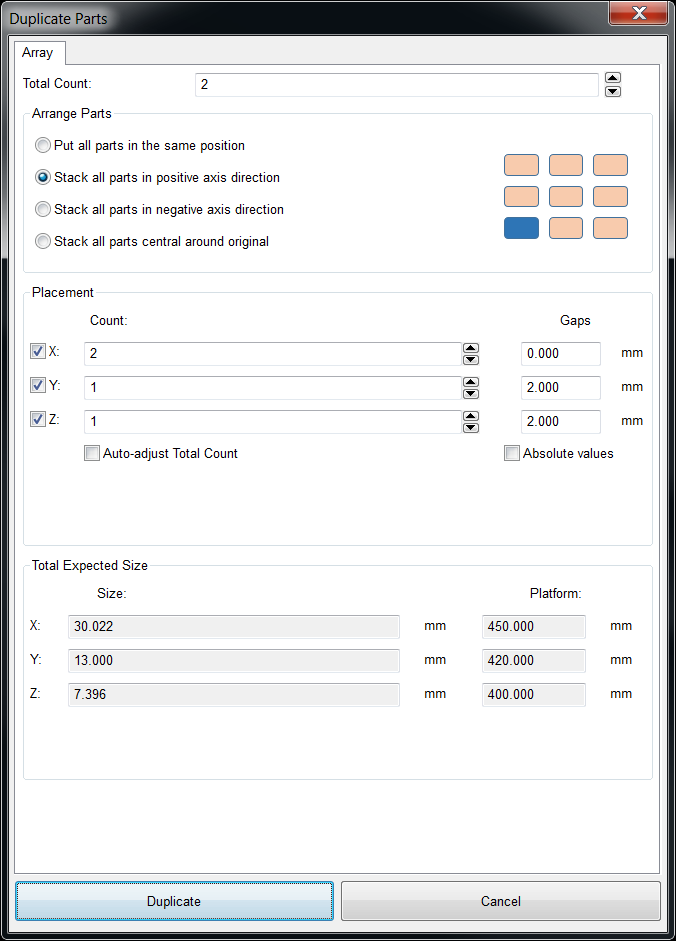
Part Duplication. The blue box marks the original.