Self-intersections occur whenever triangles or surfaces of one part cut through each other. Netfabb is able to detect, split off and remove those self-intersections.
 If you detect self-intersections, a red line will appear representing the cutting line of self-intersections. This line is also visible, when the intersections are within or at the backside of the part. If surfaces not only cut through each other, but are on top of each other, all triangles which are part of that double surfaces are marked in orange.
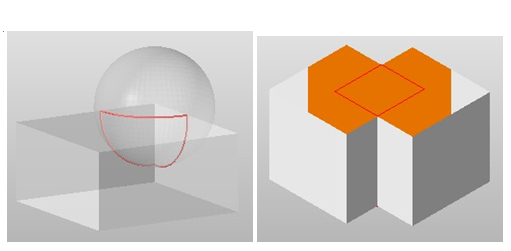
Left: A Self-Intersection with two shells cutting through each other. Right: All triangles belonging to a double surface in the interior of the part are marked orange.
 By splitting off self-intersections, intersecting surfaces and double surfaces will be cut and divided along the cutting line, resulting in border edges along the intersections. If the surfaces are part of closed shells, sections of this shell will be cut off and can be selected and worked on separately as own shells.
The triangle mesh is changed (without changing the shape), so that neighboring border edges have identical coordinates and you get a valid triangulation across the two shells. This is done to provide easier processing when repairing the intersection (for example, by stitching the triangles).
 If you remove self-intersections, the intersections are split off, resulting interior shells and double surfaces are removed and surfaces on the outside of the part are reconnected. As a result, a valid shell is created. Self-intersections can only be removed, if the part has no holes.
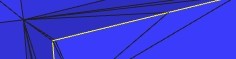
A split self-intersection. Yellow lines mark border edges. Meshes on both sides are now adjusted t meet at the seam
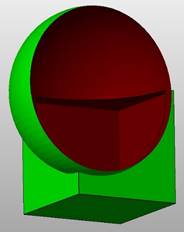
Here you can see the interior of a part with removed self-intersections. Interior surfaces are removed and a valid shell is created.