In these short topics, we introduce you to Autodesk® Nastran® In-CAD. There are three steps to learning the basics:
Step 1: Watch the Quick Start Videos
These short videos take you through the basics of the Autodesk Nastran In-CAD software. Feel free to watch all of the videos in series or explore a Quick Start Tutorial along the way.
|
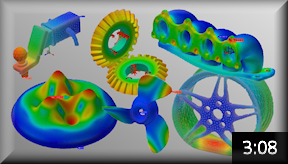
The Autodesk Nastran In-CAD Story This video provides an overview of the uses and benefits of the Nastran In-CAD advanced simulation software for finite element analysis (FEA). |
|
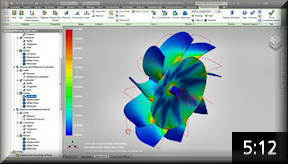
Where to begin? Watch this video to learn about the overall simulation process using the Autodesk Nastran In-CAD add-in for Inventor. |
Step 2: Complete a Quick Start Tutorial
Quick start tutorials take you through the basic simulation process from CAD model to finite element results evaluation while providing more guidance than the main set of Nastran In-CAD tutorials.

|
Quick Start Tutorials: Introduction Please consult this introductory page for a brief overview. General comments and recommended program settings are provided along with instructions for downloading the model datasets. |
|
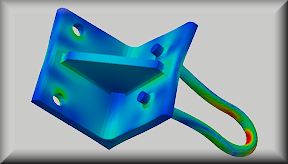
Linear Static Stress Analysis of a Welded Steel Hanger Determine the stress, displacement, and safety factor results of a welded steel hanger supporting a 6 KN downward load. |
Step 3: Apply What You Have Learned
Now that you have explored the basics, it is time to start creating your own simulations using the Autodesk Nastran In-CAD software. The techniques you have seen demonstrated in these quick start videos and tutorial will help you with your own structural analyses. In addition, you can analyze steady-state and transient heat transfer, linear dynamics (vibration and shock, including nonlinear and transient response), nonlinear static stress, linear and nonlinear buckling, and fatigue. All analysis types share the same user interface and basic workflow procedures.
As you explore more Nastran In-CAD functionality, remember to consult the following additional resources:
- User's Guide (for in-depth coverage of FEA concepts, the user interface, meshing, analysis setup, command reference, and more)
- Essential Skills Videos (view core concepts and workflows for modeling with Autodesk Nastran In-CAD as they apply to a variety of analysis types)
- Tutorials (basic and advanced analysis tutorials that cover a variety of simulation scenarios)
- Self-Paced Training (basic information you need to use the software effectively, including best practices and the fundamental concepts)