- In the tree view, right-click on Constraints and select New.
- Select the point at the base of the model to be fixed in all 6 degrees of freedom.
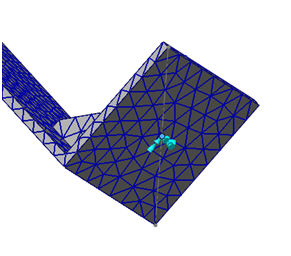
 In this release, the 3D sketch point is not supported. Currently, you can use the 3D wire sketch segment to select the end point as 3D sketch point.
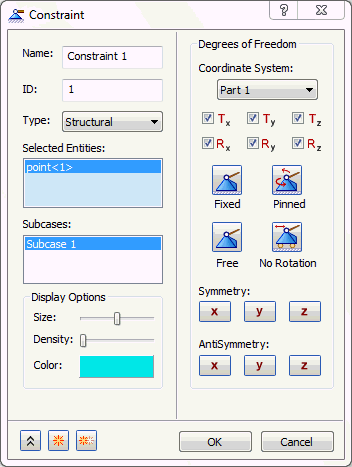
- Click OK to accept the default fixed constraint settings.