- Go to Tools/Document Settings/Units. Set the units to meters and kilograms. They will become the Default units.
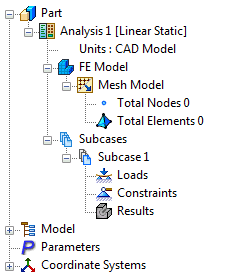
- Or, right-click
Units in the tree and select
Default under
Unit System. Make sure that the units are set properly to meters and kilograms.
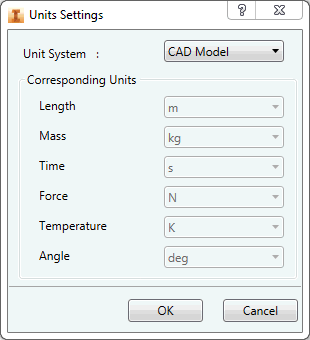
- Click OK.