P&ID Painter
You can display P&ID components in a color that matches pipe line group property values.
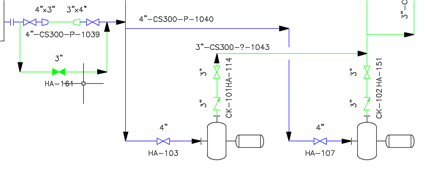
For example, you can paint by size. Above, the 3" line displays in green and the 4" line displays in blue.
You can also create custom paint styles in Project Setup.
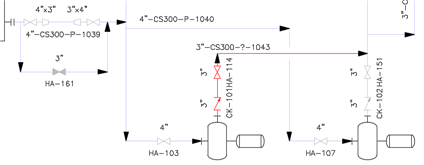
For example, you can create a painter style (shown above) that displays a blank or unexpected service in red. The custom style can also fade (using transparency) lines that are correctly set to help highlight the red lines.
For more information see:
About P&ID Painter.