The Properties palette provides quick access to component and line data.
Some of the ways you can access the Properties palette include:
- Double-clicking an object in a drawing Note:
When you double-click an annotation, the Edit Annotations dialog box is displayed instead of the Properties palette.
- Selecting an item in the drawing and pressing CTRL+1
- Right-clicking an item in the drawing and clicking Properties
- At the Command prompt, entering PROPERTIES
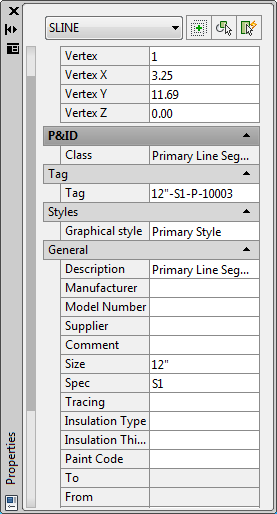
For more information about the Properties palette, see “Display and Change the Properties of Objects” in the AutoCAD Help system.