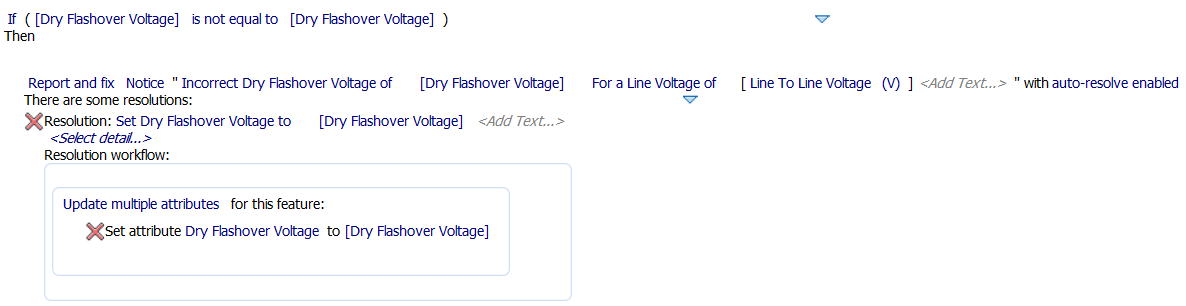
Use Table Configuration to set up tables of values. Then, create rules that look up values from the tables. This sample procedure creates a subrule to set Dry Flashover Voltage based on a conductor's Nominal Line Voltage. You can then create a validation rule with a resolution that looks up Nominal Line Voltage and sets the appropriate Dry Flashover Voltage. Adapt this procedure as needed.
- Click Configuration tab
 Setup panelTable Editor.
 You can also enter AUDTABLECONFIG on the command line.
- Define the table as needed. For example, you might create a table called Flashover_Voltages that lists Nominal Line Voltage values and corresponding Dry Flashover Voltage values.
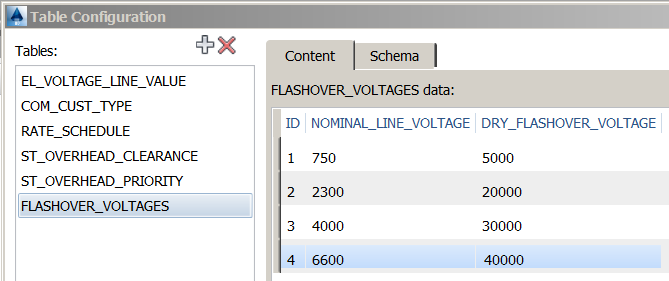
For more information, see To Configure Tables.
- Click Configuration tabSetup panelManage Rules.
- In the Rule Configuration editor, click ExpressionsRealElectricLineString.
- Right-click Conductor and click Create Subrule.
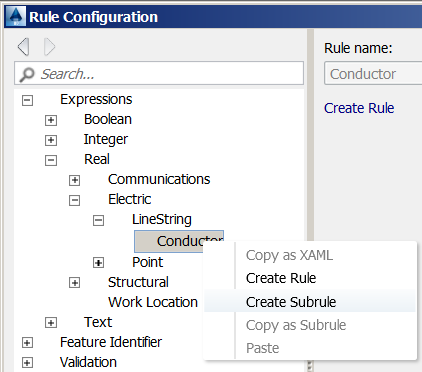
- For Rule Name, enter Dry Flashover Voltage.
- Click 0FunctionsTable Lookup.
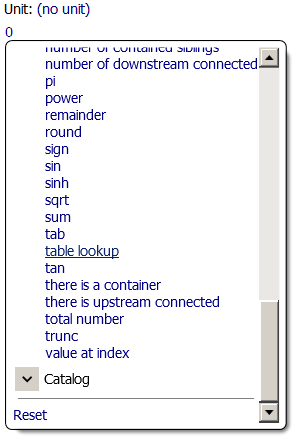
- Click Empty and select the name of the table you created earlier.
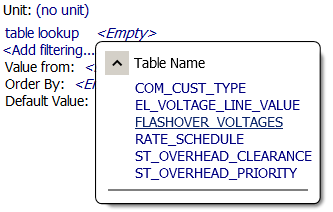
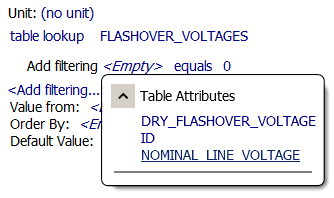
- Click Add FilteringEmpty and then click the table column to match. In this example we use Nominal_Line_Voltage.
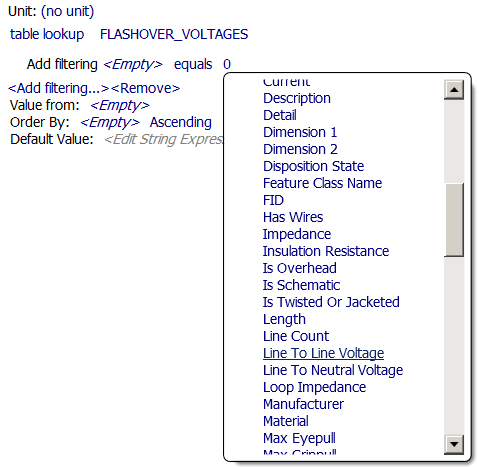
- Leave the operator set to Equals and then click 0Conductor's Attributes and select the attribute of interest. In this example we use Line to Line Voltage.
- Click Value FromEmpty and then click the table column containing the value of interest. In this example we use Dry_Flashover_Voltage.
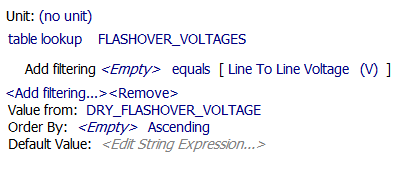
This subrule evaluates to the corresponding Dry Flashover Voltage from the table, based on the conductor's voltage.
You can now use this subrule in a validation rule such as the following: