The Feature Library tab on the Design Explorer categories organize features into large groups. Folders organize features into smaller groups. You can select features in the design and add them to any selected folder. You can also create categories and folders that organize features as needed for your work.
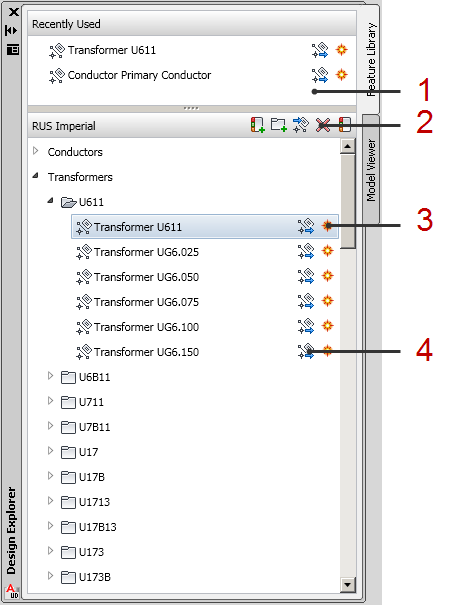
- Recently Used—Provides access to frequently used features.
- Toolstrip—Displays the library name and provides controls for adding a category, adding a folder to the current category, adding selected features to the current folder, deleting selected items from the library, and showing or hiding categories in the library.
- Each feature class has an icon for digitizing new items of that class.
- Each feature class has an icon for creating new features of that class from existing geometry.