Normally, only the part model is rendered during a 3D simulation. If Pause on gouge is set, the simulation pauses if the tool rapids into the part. In FeatureCAM 3D, 3D simulation can help you detect collisions with models of clamps or fixtures that you create as solid models. To detect these collisions:
- Create a solid model of a fixture or clamps. It can be as elaborate as you need it to be. You can also use an STL file as a clamp.
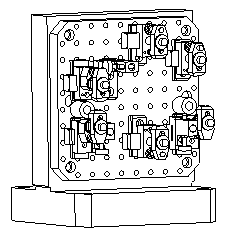
- Set the solid or solids as a clamp.
- Run a 3D simulation. During the simulation
both the part and the clamp model are rendered. It may take longer for the simulation to start up because the clamp model is being rendered.
If you want the simulation to alert you to gouges, select File > Options > Simulation > 2D/3D Shaded page and enable Pause on gouge.
Note: FeatureCAM does not come with a library of clamps, but the
3D solid modeling capabilities of
FeatureCAM 3D enables you to create these models from scratch. You can also
import clamp models for other solid modeling systems.
Note: If a clamp is defined in an
.fm part file, this clamp is displayed during 3D simulation in a
tombstone document.