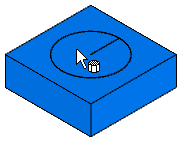
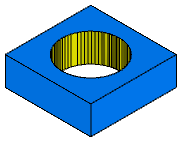
In FeatureCAM WIRE, you can graphically remove a slug after the 3D simulation is finished. The region to remove must be totally separated from the rest of the part.
To remove the slugs:
- Perform a 3D solid toolpath simulation.
- Select Home tab > Select & Edit panel > Select > Single or Box Select.
- Click the slug in the graphics window. The slug is removed.
- Click any slugs you want to remove.
- Click the Stop button in the simulation toolbar to clear the screen.
|
Before slug is removed:
|
After slug is removed:
|