Note: You must generate
toolpaths before you can create NC code.
After you have generated toolpaths, the
NC Code step is available to you. Click the
NC Code
 icon in the
Steps toolbox to open the
NC Code dialog:
icon in the
Steps toolbox to open the
NC Code dialog:
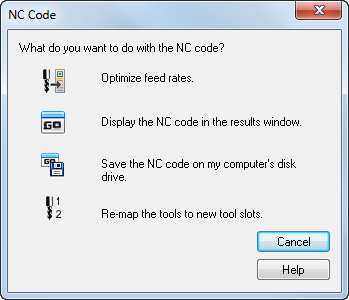
The options are:
Optimize feed rates — Click the
 icon to open the
Feed Optimization dialog.
icon to open the
Feed Optimization dialog.
Display the NC code — Click the
 icon to view the NC code on the
NC code tab of the
Results window.
icon to view the NC code on the
NC code tab of the
Results window.
Save the NC code — Click the
 icon to open the
Save NC dialog.
icon to open the
Save NC dialog.
Re-map the tools — Click the
 icon to open theTool Mapping dialog.