Select this menu option to join selected vectors with coincident nodes. You can create free-form vector shapes by joining together open, ungrouped vectors with concurrent start or end nodes.
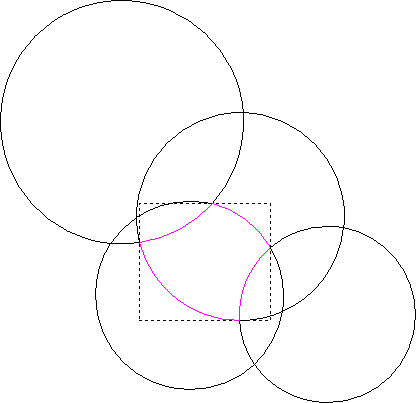
For example, overlapping circles exploded using the Explode Vectors tool could have sections rejoined by selecting Bézier spans with coincident start or end points to create an interesting vector.
Note: The
Join Vectors with Coincident Nodes
 button on the
Design and
Vector Editing toolbar is a shortcut for this menu option.
button on the
Design and
Vector Editing toolbar is a shortcut for this menu option.
button on the
Design and
Vector Editing toolbar is a shortcut for this menu option.
To join together vectors with coincident start or end points:
- Press and hold
Shift and select the vectors.
Note: The selected vectors must have coincident start or end nodes.
- Select
Vector > Join > With Coincident Nodes or click
. The
Join Vectors with Coincident Nodes panel is displayed.
- If you only want ArtCAM to join coincident points in the selected vectors within a specific distance of one another, enter this in the Tolerance box.
- Click Join to join the coincident points in the selected vectors within tolerance.