Remove Hidden Lines When Plotting from a Layout Tab
- Select a layout viewport.
- Double-click the viewport border to display the Properties Inspector.
- On the Properties Inspector, click Shade Plot.
- In the Shade Plot drop-down list, select Hidden.
- Click OK to plot the drawing.
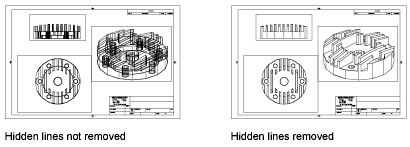
Remove Hidden Lines When Plotting from the Model Tab
- Click Plot.

- In the Plot dialog box, under 3D Viewports, Shading drop-down list, select Hidden.
- Click OK to plot the drawing.