The Autodesk Factory Design Suite 2015 Update Pack added connector snapping ability to AutoCAD Factory assets. It also introduced the Sync to Navisworks command to sync your AutoCAD Factory layout to Navisworks Factory.
However, both of these new functions require updates to previous versions of Inventor Factory assets to ensure correct snapping in AutoCAD and proper asset placement in Navisworks. Updating your pre-Factory Design Suite 2015 R2 assets can be accomplished using the Asset Update Tool provided with the Autodesk Factory Design Suite 2015 Update Pack. You will find this tool in the C:\Program Files\Autodesk\Factory Design 2018\Shared Utilities\Inventor Server Clients folder.
- The tool updates the connectors defined with the Inventor Factory asset publisher for all assets published in Factory Design Suite 2015 RTM/Update Pack1 or earlier versions.
- The tool may update older asset files to the Inventor 2015 format so they will no longer be compatible with earlier versions of Factory Design Suite.
- Navigate to C:\Program Files\Autodesk\Factory Design 2018\Shared Utilities\Inventor Server Clients.
- Double-click AssetUpdateTool.exe. The Asset Update Tool dialog box appears.
- Choose your preferred language from the Languages drop-down menu in the top left corner of the dialog box.
- Click Add to navigate to the folder that contains the assets you want to update. You can add multiple folders to the list. To remove a folder from the list, first select the folder name and then click Remove.
- Once your folder(s) have been added, click
Start.
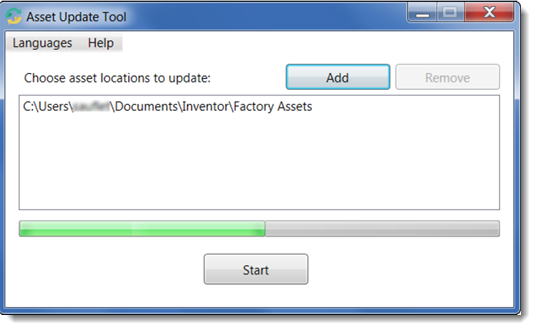
The green progress bar marks the updating process. When the process is complete, the following message appears:
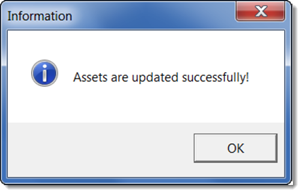
The updated assets are now ready for use.