
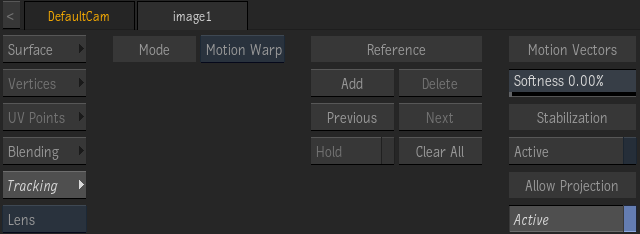
- Tracking Mode box
- Select which tracking mode to apply.
- Add Reference button
- Adds a Reference UV frame for motion warping. If this is not the first Reference, motion warping is interpolated between consecutive UV References. Note that motion is only computed for frames within the Tracking interval defined in the parented Motion Vectors map, as defined in the Motion Vectors Analysis tab.
- Delete Reference button
- Deletes the UV Reference at the current frame.
- Go to Previous Reference Frame button
- Moves the Positioner to the previous UV Reference frame.
- Go to Next Reference Frame button
- Moves the Positioner to the next UV Reference frame.
- Hold button
- Puts on hold the current warping effect at the current UV Reference, until the next UV Reference.
- Clear All Reference Frames button
- Deletes every UV References.
- Motion Vector Softness field
- Blurs the motion vectors to smooth out any apparent jerkiness in the motion.
- Enable Stabilization button
- Enable to use the Motion Vectors map for stabilization.
- Allow Projection button
- Enable to set the surface as a projector receiver.