Note: This topic describes ways to change the background in a rendered scene. For information on changing the background color of the
scene view while you work, see
Change the view panel background color.
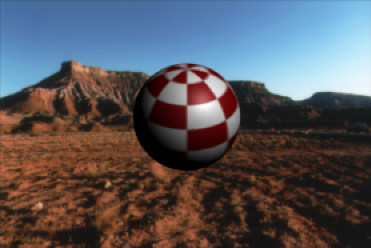
Typically you render the objects in a scene against a black background and composite the rendered images later with an appropriate background using compositing software. However, you can insert a background:
- to avoid having to model background objects or scenery, but want them represented two dimensionally in your scene (especially if you don’t have access to compositing software).
- as a temporary reference (especially for rotoscoping or motion matching) for modeling or animating objects in the scene.
Note: When you create a background in Maya LT, you create it for a specific camera. When you preview render a scene from that camera, the background is included in the output image. If you preview render the scene from a different camera, the background is not included. For more information on cameras, see
Maya LT camera types.
Image file backgrounds
Image planes let you use an image file, a series of image files, or a movie as a background. Refer to the Image planes section for more topics.