In this task, you duplicate the part to make a two cavity tool.
-
Click
 ().
(). -
Click
 ().
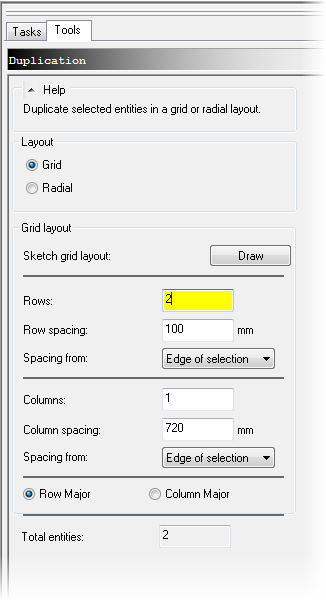
(). - Select Grid.
-
Enter 2 rows.
-
Enter 100 mm row spacing.
-
Select Edge of selection spacing from the drop down box.
-
Enter 1 column.
-
Click OK.
-
Click
 ().
(). -
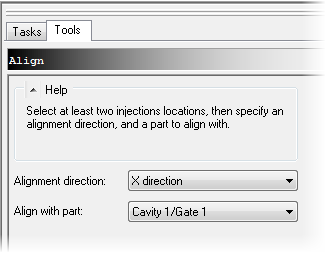
Select X direction as Alignment Direction.
-
Hold CTRL Key and select both injection locations.
-
Select Cavity 1/Gate 1 from the Align with part field.
-
Click OK.
-