The Layers panel is used to hide and display layers associated with an open file.
The
Layers panel is located under the
Study Tasks pane. To move
Layers to somewhere more convenient, click in the layer ribbon area and drag it off the panel. To display the panel if it has been closed, click
 () and select Layers from the drop-down menu.
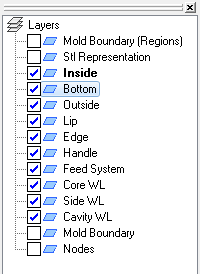
The layers that are checked are visible in the model display pane. All entities assigned to those layers are visible on the screen.