Create a project to start working on the simulation setup. Enter the project name and the location on your hard drive where you want to store the project.
- Click
 ().
().
- Enter a name for the project in the
Project name field.
As you type, the project name is automatically appended to the
Create in path.
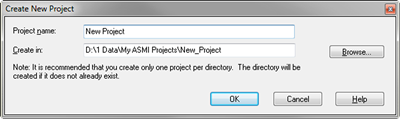
- Enter the location in which you want the project stored, in the Create in text box.
- Click OK. The newly created project opens and the project name appears in the Project View pane.