We improved the usability for setting local mesh densities. You can now easily define several mesh density groups based on bodies, faces, or edges. Entities in a mesh group are highlighted in the graphic window for easier recognition.
The Define Mesh Density tool has a new user interface. You can create Mesh control groups to modify the mesh parameters of the entities it contains and track these changes.
Click
 () to access this new feature.
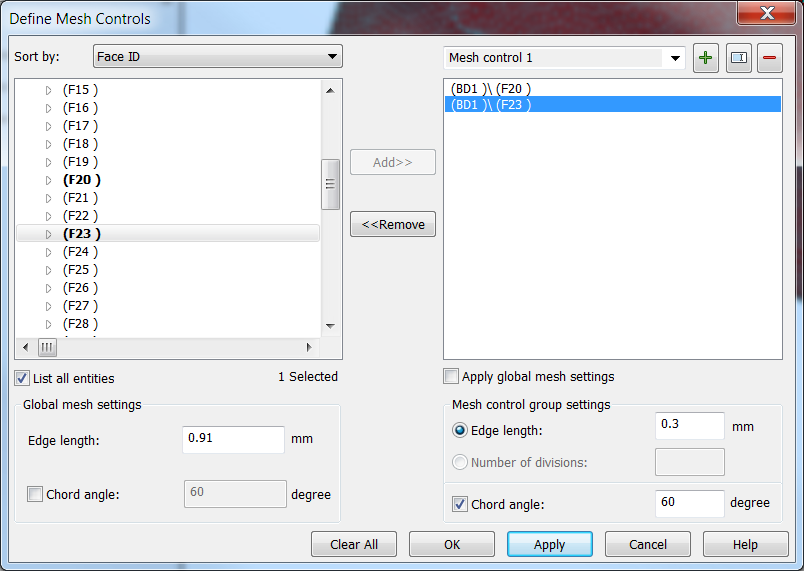
The left side of the tool includes a navigator tree and the Global mesh settings. The right side is Mesh group relative.
To create a mesh group, select the entities from the CAD model or from the navigator tree and click Add>>. A new mesh group is created in the right side. You can now locally apply specific mesh parameters by changing Mesh control group settings values. Click OK to apply and close the dialog.