In order to improve the workflow, and save time, particularly with large models, you can view the analysis log of a study in an open project, without opening the study.
There are three ways to access the analysis logs without having to open the study file:
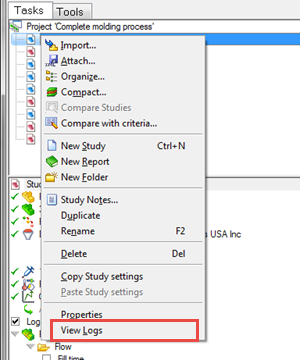
- In the project tree, hover over the study of interest, then click the right mouse button and select View Logs from the drop-down menu
- Open the Job Manager (
 ()), hover over a study in the Studies list, then click the right mouse button and select View Logs from the drop-down menu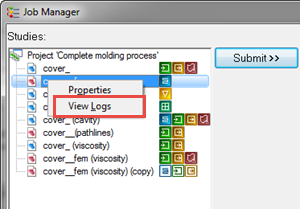
- Open the Job Manager ( ()), hover over an analysis in the Job servers list then click the right mouse button and select View Logs from the drop-down menu
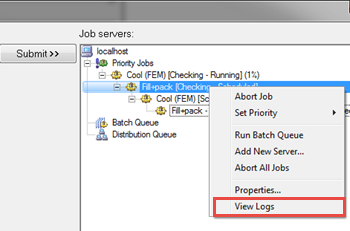
In all cases, the study logs will open in a new window, with all the log tabs available for selection.