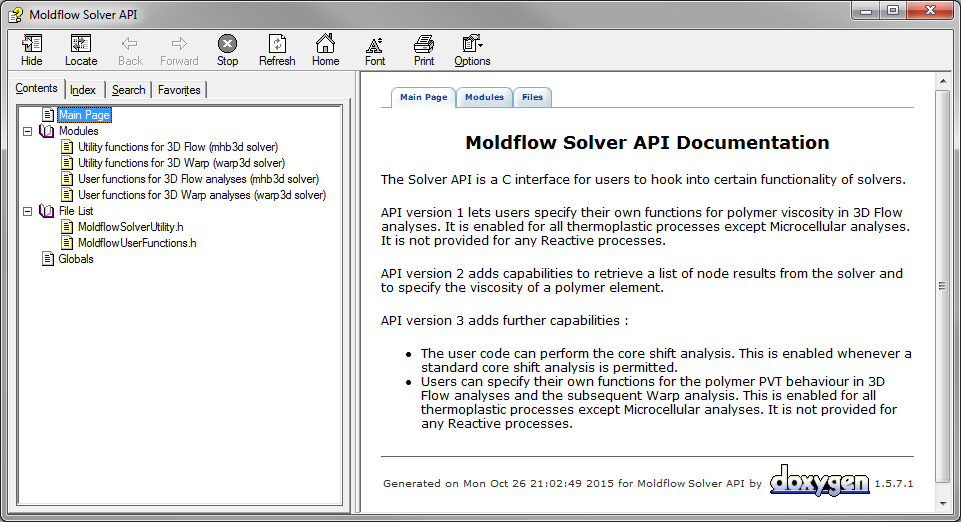
The solver API capabilities have been extended to include PVT, core shift, and an API capability for 3D Warp. Application of the API to multi-shot moldings has also been improved, with a separate parameter string for the second shot, and a utility function to obtain the shot number.
- User viscosity functions for 3D Flow,
- User PVT functions for 3D Flow,
- User core shift functions for 3D Flow,
- User PVT functions for 3D Warp,
- Utility functions for 3D Flow,
- Utility functions for 3D Warp.
C:\Program Files\Autodesk\Moldflow Insight 2018.2\data\solverapi
To use these solver API options, enable them on the Solver API tab, which you can find in the Advanced options of the Process Settings. The API options are ignored unless you enable them here.
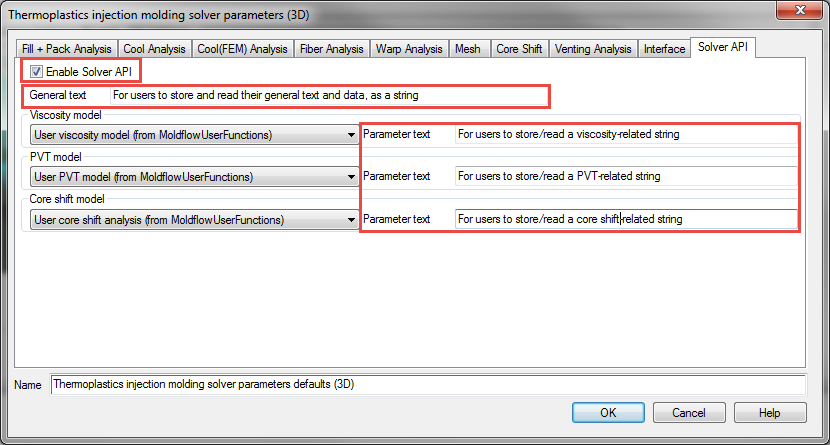
The General text string is always available when the Solver API is enabled. The Parameter text strings are specific to each API option, and are only available when you enable that API option.
For 3D Flow, you can now call your own code during an analysis without turning on the PVT, core shift or viscosity options. For example, you can extract additional data from a standard analysis, process them for your own unique needs, and write them to a file.