In order to enable you to manipulate your model or analyze your results, offline, using a network license, you can now borrow Autodesk Moldflow Synergy - User Interface licenses.
Attention: License borrowing with Synergy network licenses enables you to view and manipulate your model, but not run an analysis. Running an analysis requires a Autodesk Moldflow Insight - Solvers license, for which license borrowing is not an option.
With a borrowed network license, you can use the software for a specified time period while disconnected from the network. Your license is automatically returned to the license server at the end of the day on the return date you set when you borrow the license. You can also return a license early. The maximum borrowing period is six months.
To borrow a license:
- Click .
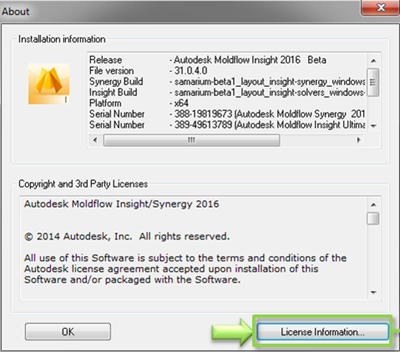
- In the Product License Information window, click Borrow License.
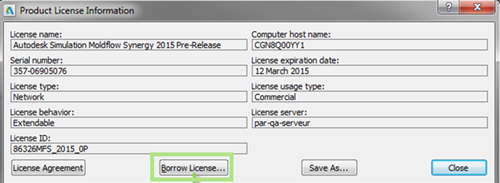
- In the Borrow a License window, on the calendar, click the date on which you would like to return the license.
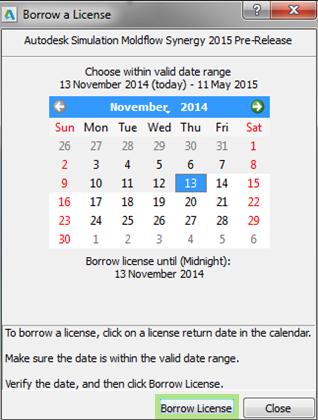
- Click Borrow License.
- In the License Borrowed message, click Close. The license is borrowed and you can now use it with your computer disconnected from the network.
You can return the license sooner than planned by clicking to open the Product License Information, then clicking Return License.