You can now save your animation as a WebM file.
We have included an extra file format for animations you want to save, WebM. Not only do most third-party video players support WebM, but so do browsers including Firefox and Chrome. Drag the file into your browser to play it! The compression results in high-quality video, with small file sizes. The video formats you can save to are:
- WebM
- Animated gif
- AVI movie
There are two ways to save your animation:
- Publish animation to file
-
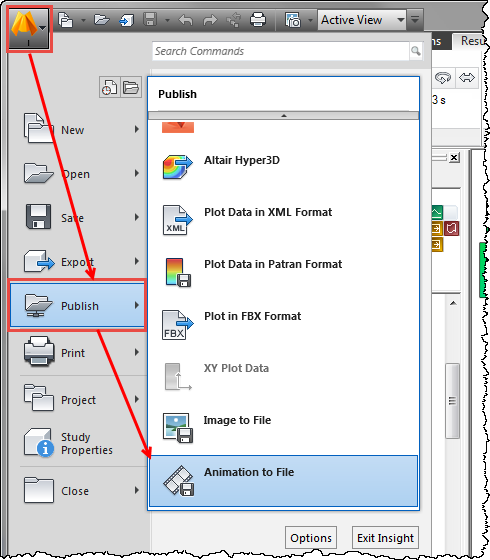
To publish the result as an animation, select the result, select Publish from the Application menu, then click Animation to File. Select the appropriate file format from the three options.
- Add animation to your report
- To add an animation to your report,
- Click
 ().
().
- In the Add Animation dialog that opens, click Animation Properties.
- Select the appropriate Animation format from the drop-down list of options.
- Click