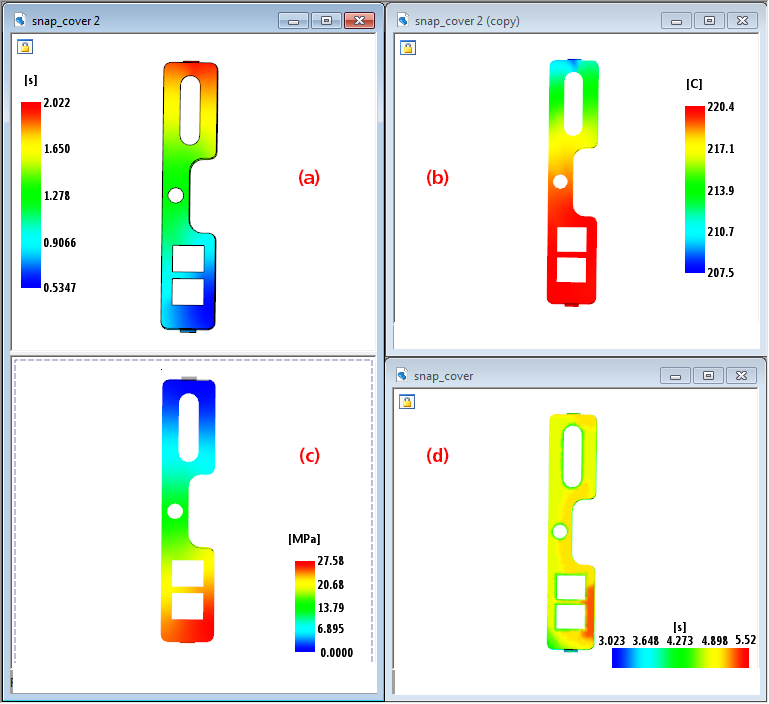
You can change the size and location of the legend bar, to optimize your view of each result.
Historically, the legend bar has appeared on the left hand side of the model; the size and location of the legend bar has been fixed in this position. With this release, you can move the legend bar so it doesn't interfere with other items in the model view pane. You can also resize it, to make it larger or smaller.
- Move the legend bar to any location within the model pane.
- Resize the legend bar to make it larger or smaller.
- Move the legend bar to the top or the bottom of the model pane, to switch it from vertical to horizontal.
- Take advantage of these enhancements to optimize the results layout in the report generator.