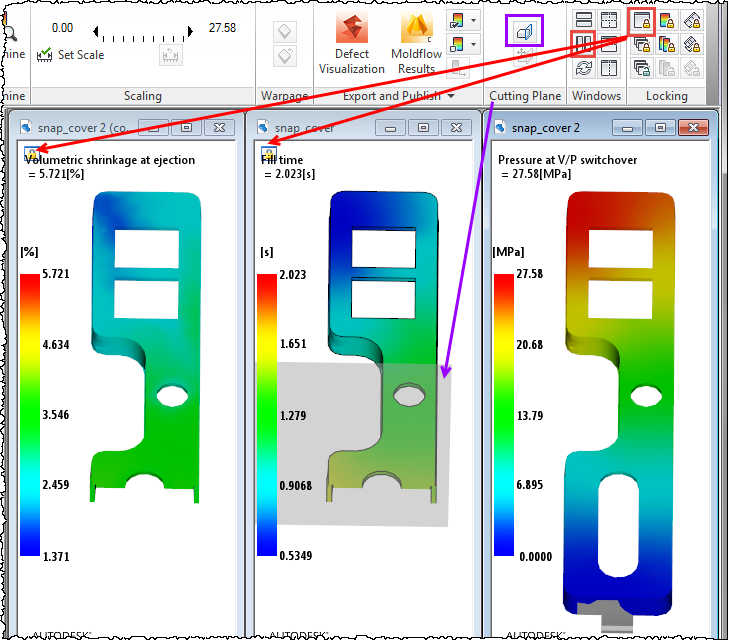
When you have multiple plots open, in split or tiled windows, Lock View enables you to apply a cutting plane to one plot and have it affect all locked views.
When you compare multiple plots in split or tiled windows, the Lock View tool lets you manipulate the model in one window, and see the same effect on the models in all locked views. In this way, you can zoom, rotate, center, and examine one model, and all models in locked views will change in the same way.
With this release, you can now use a cutting plane on one plot, and see it implemented on all locked views. You can
- Set a cutting plane
- Edit a cutting plane
- Move a cutting plane
- Delete a cutting plane
New cutting planes do not appear, and existing ones are not affected, on models in views that are not locked.