Click Clipping
 to create a plane that cuts through the model and removes material from one side, to show a cross section.
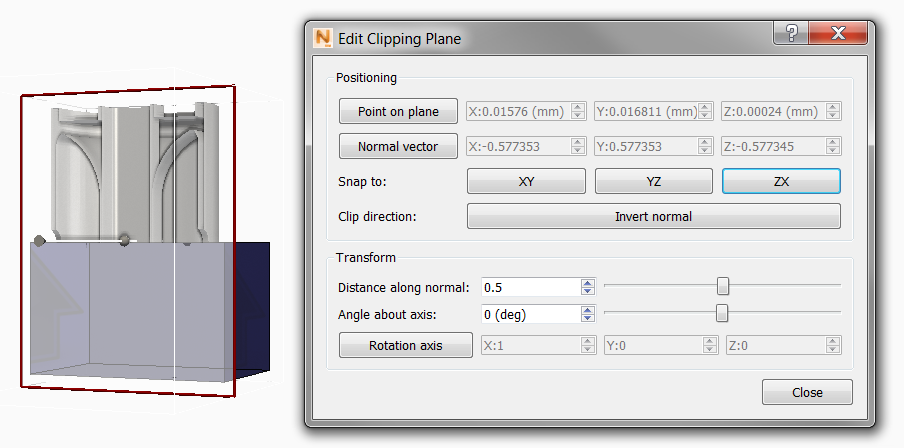
Two tools are available to manually adjust the clipping plane:
- Click-drag the line through the center of the plane to swing and tilt the plane.
- Click-drag the bounding box to move the plane forward or back on the part.
The Edit Clipping Plane dialog provides several methods to adjust the plane location and orientation:
- Snap to a pair of axes through the center of the part, XY, YZ, or ZX
- Change the clip direction to see the opposite side of the part by clicking Invert normal.
- In the Transform area, use the slider for Distance along normal to move the plane through the part; use the slider for Angle about axis to tilt the plane.
- In the Positioning area, use numeric X, Y, and Z settings to move the plane and its normal.
When the clipping plane is in the correct location, click Close to hide the clipping plane, while still displaying the cross section. If you want to edit the plane again, click
Edit
 in the Clipping panel. If you want to remove the clipping plane, click the Clipping button again.