Setting up part orientation, supports, configuration and build strategy
 We have reworked the GUI and removed the need to have multiple tabs.
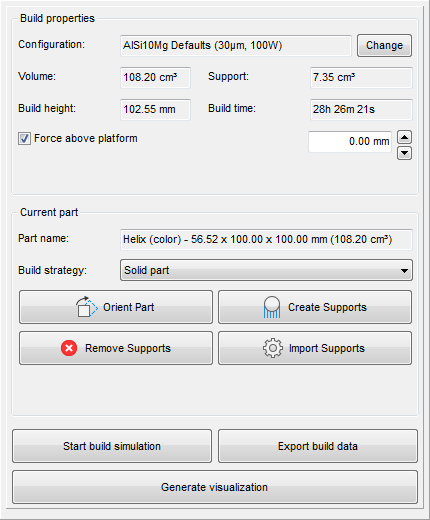
The context area provides the essential settings and information items to set up a build.
Build properties
The build properties are used to select a specific configuration for your machine. Netfabb includes a selection of standard configurations to choose from, but you can also edit existing or create new build configurations. You can also set the height above which the parts on the platform are kept. Finally, this section displays volume of the part and support structures, the build height, and the estimated build time.
Current part
The parts tab presents a few details about the active part, including the part name, the build strategy selection, and tools to create, import, or remove supports for your part as well as to find preferable orientations.
Quick access commands
The following quick access commands are available for part preparation:
- Start build simulation: Opens a dialog to create the file necessary to begin simulation as well to select between Simulation Utility LT and Simulation Utility, as available, where you can perform predictive modeling of the additive manufacturing build process.
- Generate visualization: Calculates the visualization data and switches into Preview where the context area changes to provide visualization display settings and build preview playback controls.
- Export build data: Generates the file(s) necessary for your AM machine.