 Comparing two meshes finds the shortest available distance between mesh nodes and the surface of another part, displays the result using a color gradient and numerical values, and allows interactive examination through a histogram as well as probe points that display the numerical value at the specified location.
While this allows comparing widely different parts at completely unrelated locations and orientations, this function is best used to learn about the before-and-after of particular processing steps such as remeshing, scaling, and deforming and corrective warping as generated by the Simulation Utility.
To compare two meshes, Netfabb employs a module.
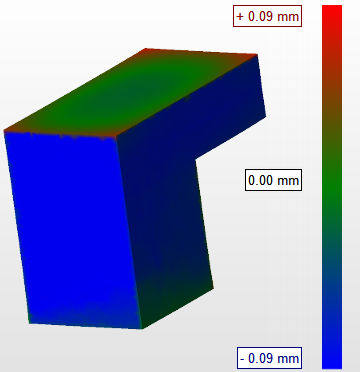
Comparison of original part and the simulated result of its print.