How to obtain the elements needed for work on skins and lattices, and the meshes for use in other sections of Netfabb
A simple mesh body cannot be worked on directly within Lattice Commander. Instead mesh bodies are the interface between a mesh part within Netfabb and Lattice Commander: From the mesh body, lattices and skins are derived; and converting the results into a mesh body provides the triangle net required in Netfabb's further steps such as supporting, slicing, or simulating.
To Generate a Lattice, Surface Lattice, or Skin from a Mesh
- In the project tree, select a component's mesh.
- In the context area, click either of Generate Lattice, Generate Surface Lattice, or Generate Skin.
- Adjust values as needed, then click Apply.
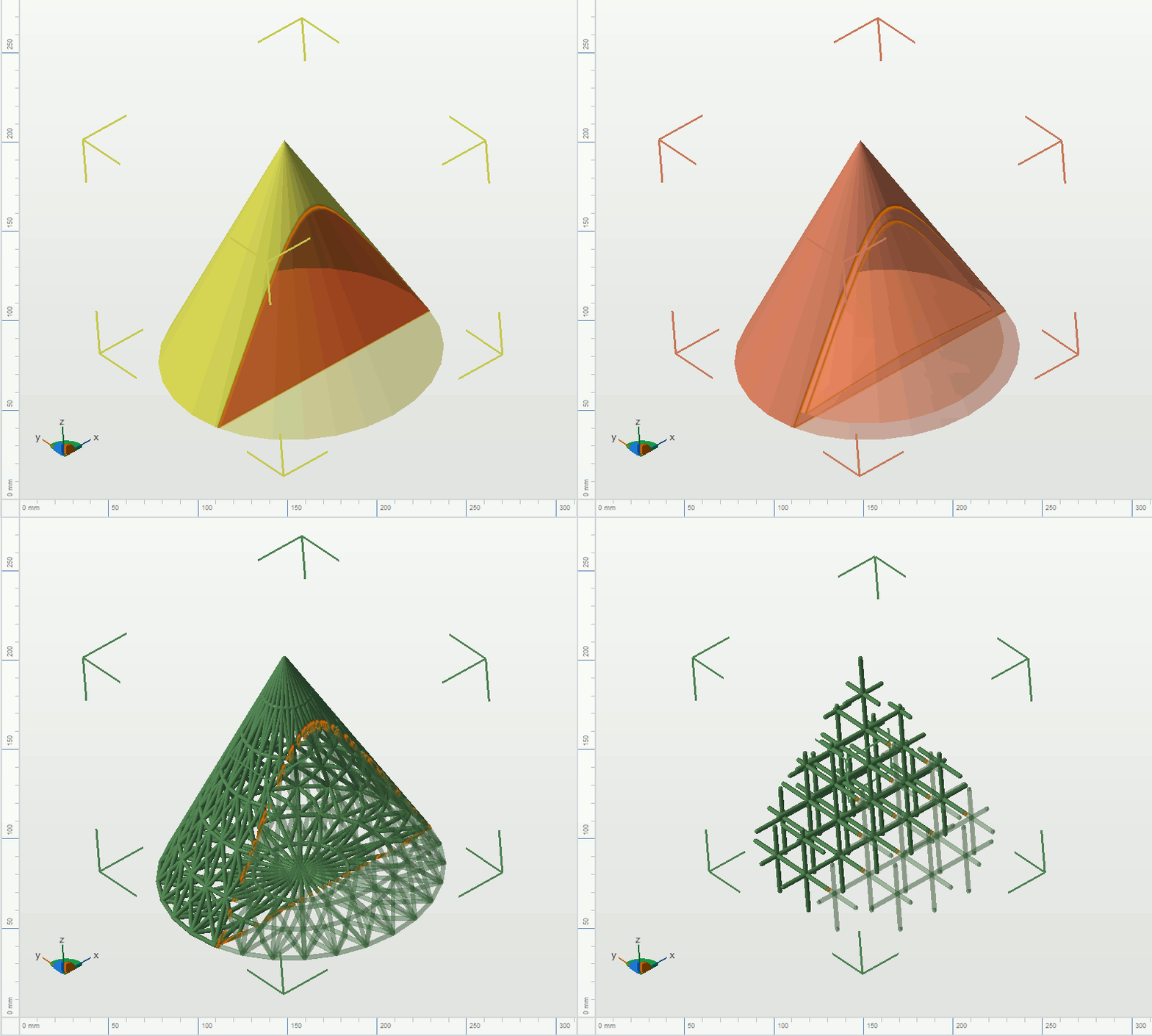
The four variants of a component: Solid mesh, skin, surface lattice, lattice
To Generate a Mesh from a Lattice, Surface Lattice, or Skin
- In the project tree, select the lattice, surface lattice, or skin of a component.
- In the context area, click Generate Mesh.
- Adjust values as needed, then click Apply.