- Right-click on Mesh Model and choose Edit.
- Type
0.03 in the
Element Size field.
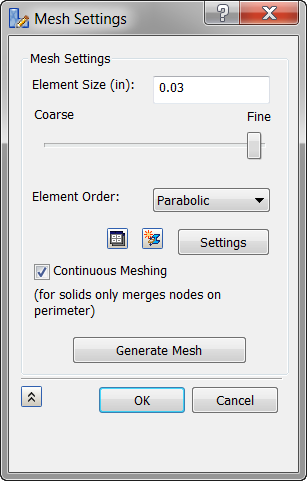
- Click the Settings button.
- Change the
Refinement Ratio to
1.0.
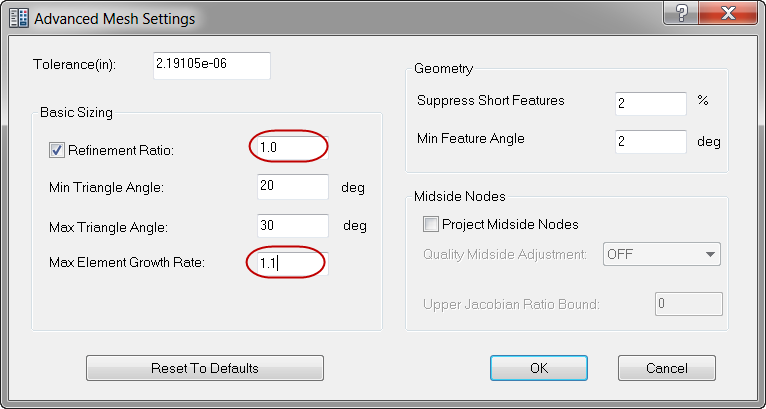
- Change the Max Element Growth Rate input to 1.1.
- Click OK in the Advanced Mesh Settings dialog.
- Click
OK once more in the
Mesh Model dialog. The meshed model should look as shown below.
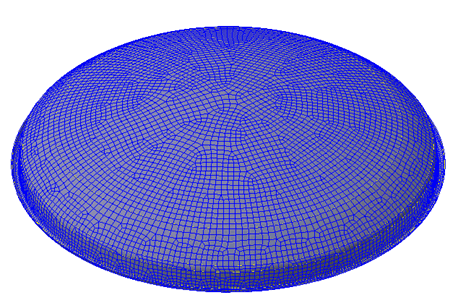
 The advanced settings allowed you to get a more uniform mesh density without having extra refinements and element growth.