Create a new material by loading stainless steel from the material library.
- In the Model tree, right-click on Materials and choose New.
- In the dialog, click on Select Material.
- The Material DB dialog will become populated with the available libraries. Click on Load Database.
- Browse to C:\Program Files\Autodesk\Nastran In-CAD 2016\Materials, and open the ADSK_materials.natmat file.
- The material tree is populated with the available materials. Under the
Steel category, select
16-25-6 Stainless Steel.
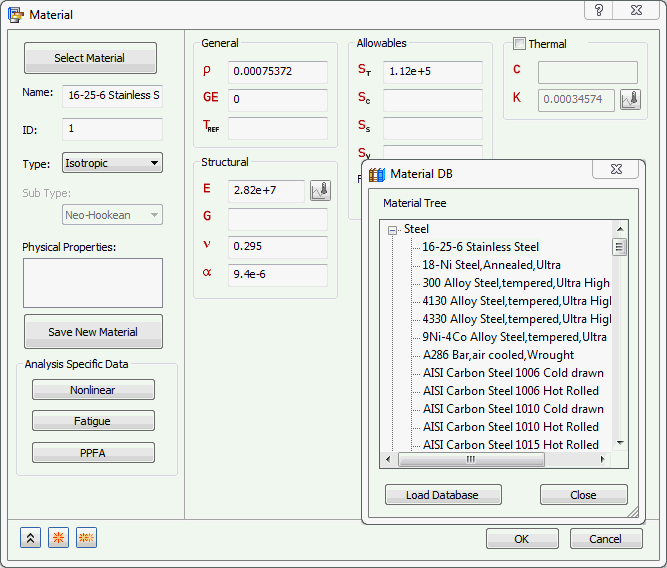
Ignore any messages about Failure Theory.
- Rename the material to
Propeller Material.
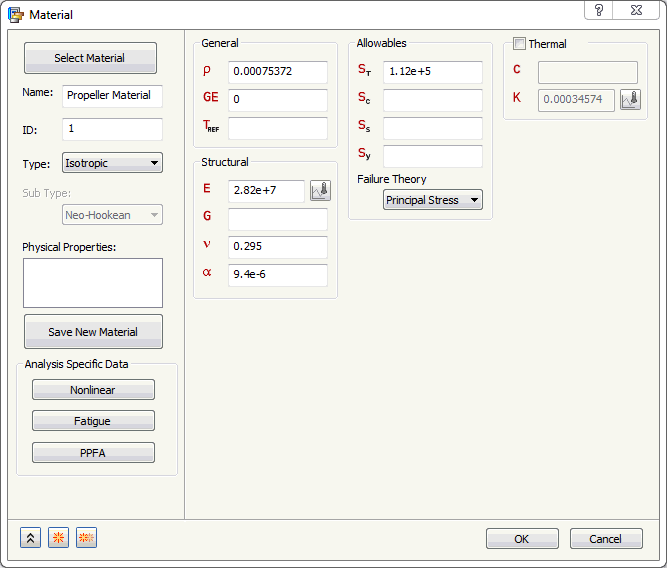
- Click OK to create the material.
 The key ingredients of a normal modes analysis are stiffness and mass. Take caution and time to ensure that a mass density is defined in the material information when defining a custom material for normal modes analysis.