- After the solution is completed, Autodesk Nastran In-CAD loads the results.
- Under Results in the tree view, right-click on von Mises and select Edit.
- Uncheck
Max/Min Markers under
Display Options. On the
Deform Options tab, select
Actual to view the actual displacements. On the
Contour Options tab, ensure that
Result Data is set to
Stress, and Type is
SOLID VON MISES STRESS. On the
Visibility Options tab, select
Hide All.
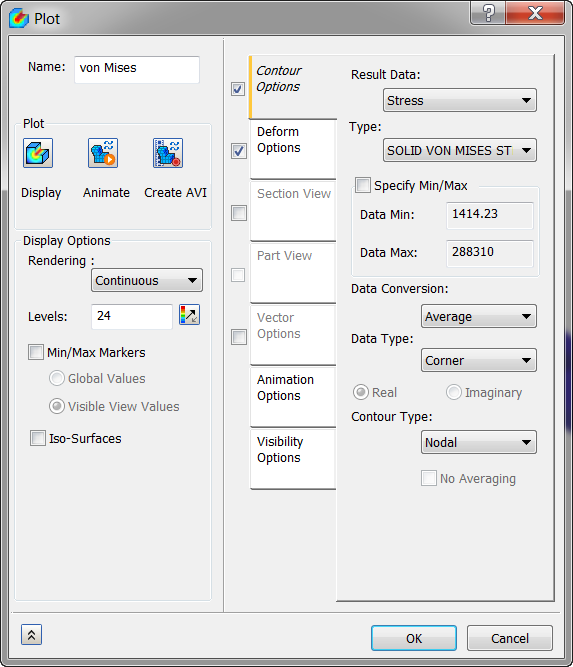
- Click on
Display. The results should look as shown below.
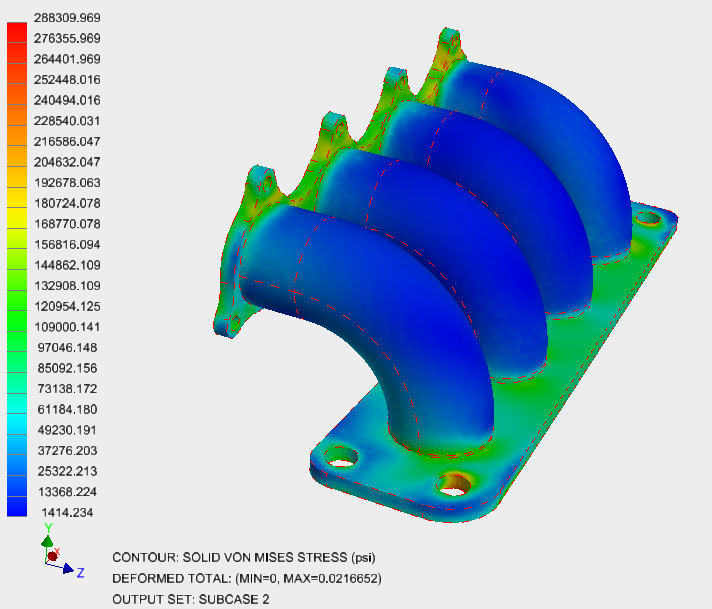
This concludes Heat Transfer and Thermal Stress Analysis of An Exhaust Manifold.
The following summarizes the main topics covered:
- How to create thermal boundary conditions – convection and heat flux.
- How to set up thermal loads with the output from a previous analysis to run a thermal stress analysis.
- How to post-process thermal stress results.