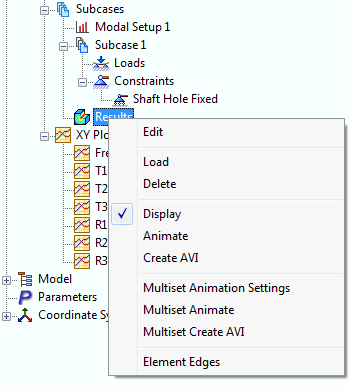
- In the tree view, right-click on
Results and select
Edit.
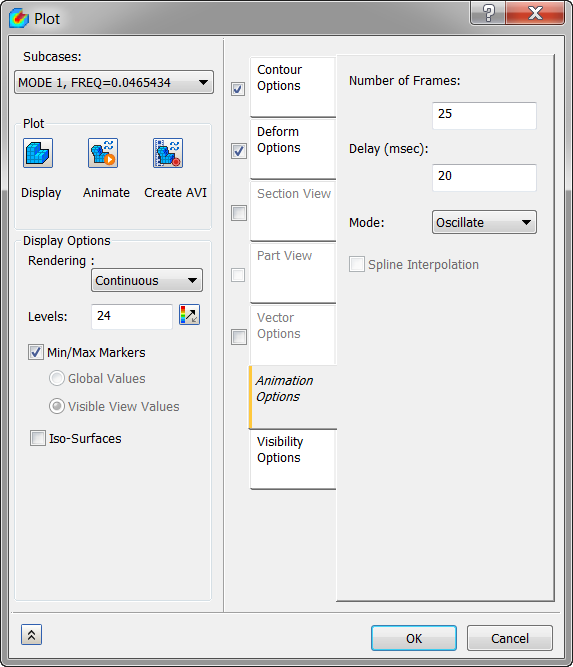
- From the Subcases drop-down menu select MODE 1. Make sure that Contour and Deform boxes are checked.
- Click on the
Animation Options tab, and set the following values:
- Number of Frames = 25
- Delay (msec) = 20
- Mode = Oscillate
- Click OK.
- Right-click on Results and select Animate. You should see the contour and deformation animated.
- Right-click on Results and select Animate once more to stop the animation.
- Right-click on Results and select Edit.
- Uncheck the Contour checkbox. Notice that the displacement contour plot is no longer being interpolated along with the deformation plot.
This concludes Normal Modes Analysis of a Propeller.
The following summarizes the main topics covered:
- How to set up and run a simple normal modes analysis.
- How to interpret the frequency or eigenvalue extraction results.
- How to set up and run a simple animation.