- After the solution is completed, click
OK to load the results the results into Autodesk Nastran In-CAD.
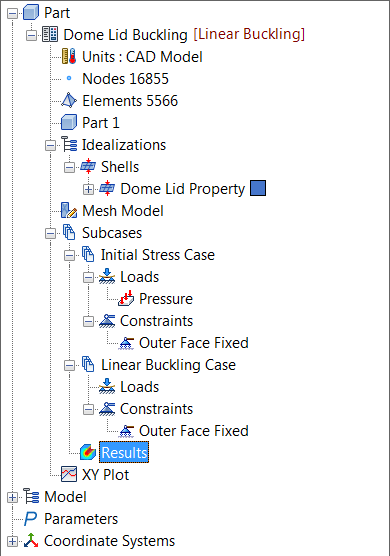
Results have been calculated for the initial stress and the buckling subcases, and both are loaded in Results. Autodesk Nastran (the solver) calculates the displacements to graphically represent the modal shapes for each eigenvalue extracted.
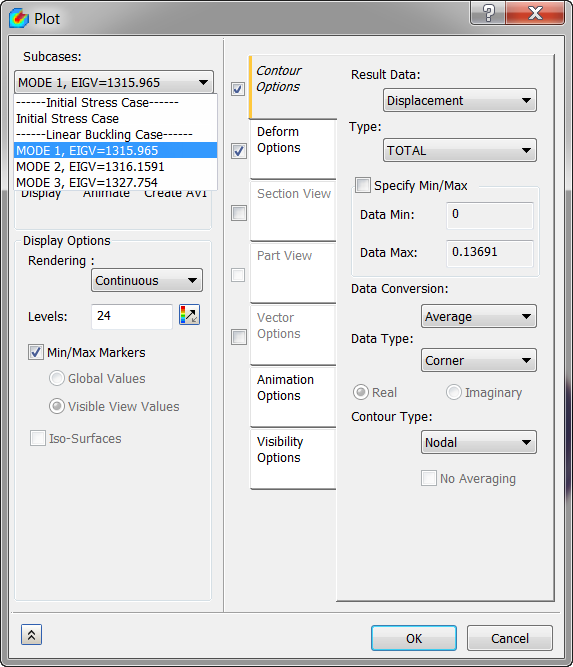
- Double-click on Results and select Mode 1 from the Subcases list.
- In the Result drop-down, select Displacement, and in the Type drop-down, select TOTAL.
- Check
Deform Options and click on
Display. The plot should look as shown below.
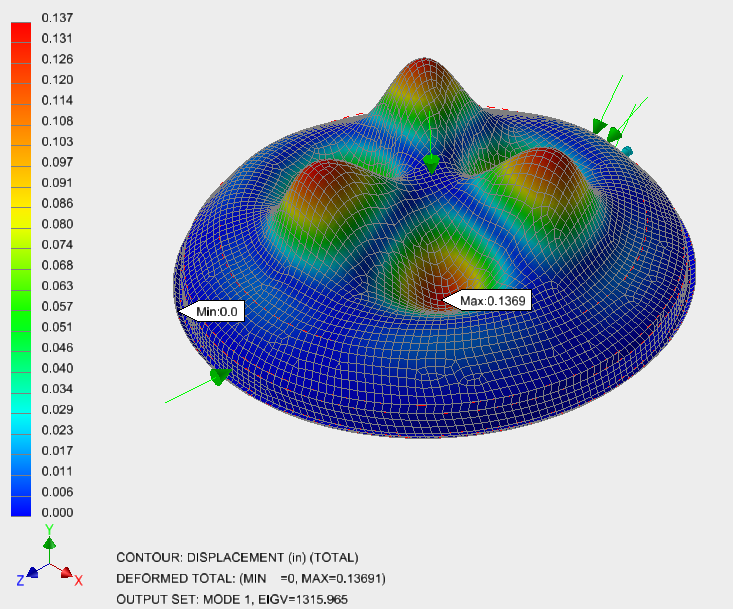
- The first and lowest eigenvalue is about 1316, which is of primary interest.
- When multiplied by the applied load, 1 Psi, you get the lowest critical buckling load of ~1316Psi.
This concludes Linear Buckling Analysis of a Dome Lid.
The following summarizes the main topics covered:
- How to set up a simple linear buckling analysis.
- How to interpret the eigenvalue extraction results.
- How to calculate the lowest critical buckling load.