- In the Model tree, right-click on Idealizations and select New.
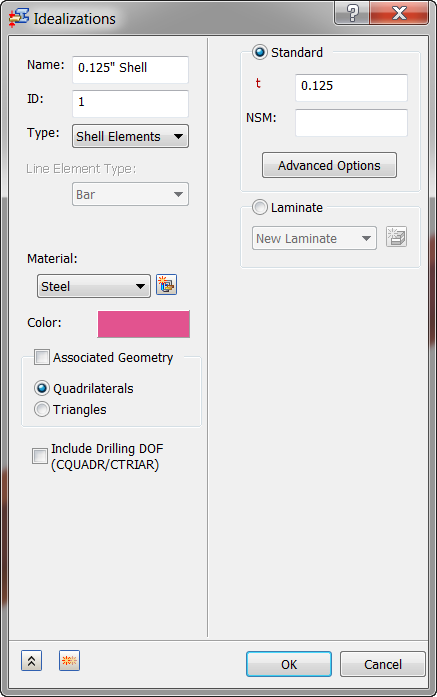
- Select Shell Elements from the Type drop-down menu.
- Ensure that Material is set to Steel.
- Change the Name to 0.125” Shell.
- Select the
Standard radio button and input
0.125 in the
t (thickness) input box.
- Click OK.