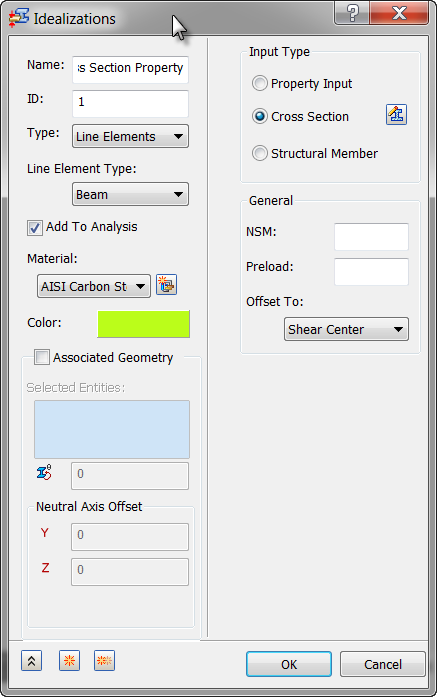
- In the Model tree, right-click on Idealizations and choose New.
- Select Line Elements from the Type drop-down menu.
- Rename the property to Beam Cross Section Property.
- Select Beam from the Line Element Type drop-down menu.
- Select Add to Analysis and ensure that Material is set to AISI Carbon Steel 304.
- Select
Cross Section in the
Input Type group box and click the
 Define button.
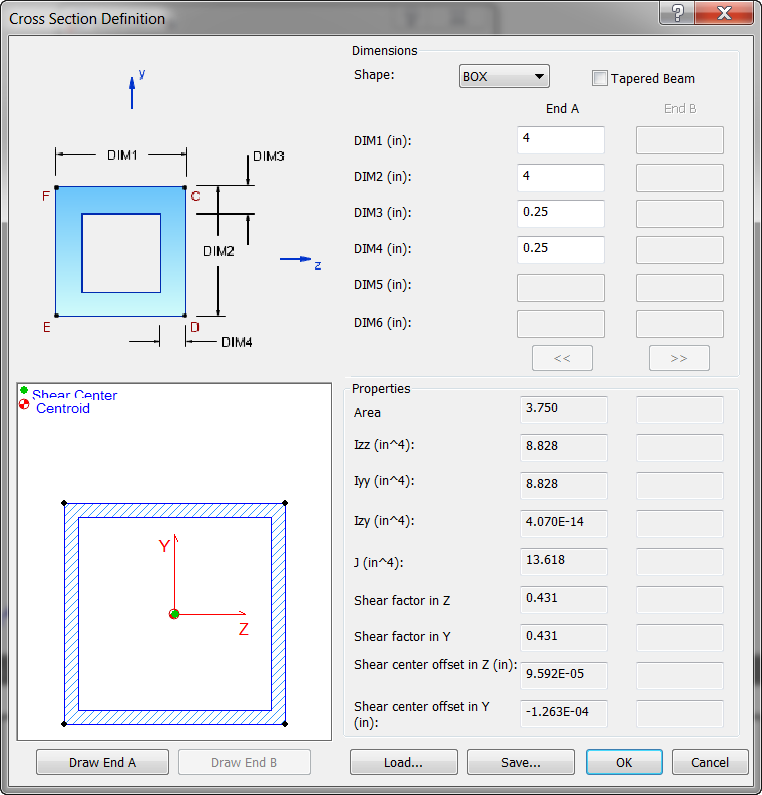
- Select
BOX for the shape, and define the dimensions as shown in the image below. Click the
Draw End A button to view the properties.
- Click OK.
- Make sure
Associated Geometry is unchecked.
 This will create a mesh with the cross sectional properties for each one of the sketch segments in the model.
- Click OK to create the Idealization.