Set the Units
Go to
Tools
>
Document Settings
>
Units
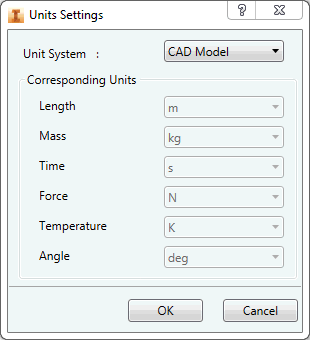
. Set the units to meter and kilogram. They will become the
Default
units.
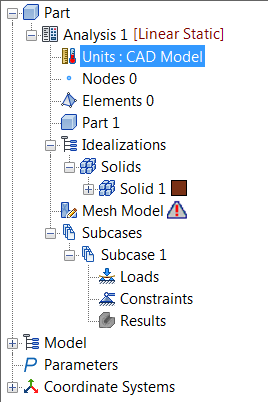
Or, double-click
Units
in the tree and select a
Unit System
with units set to meter and kilograms.
Click
OK
.
Parent topic:
Linear Static Analysis of a Fitting