The ribbon in PowerShape 2018 contains new buttons and icons, and improved tooltip help.
Buttons
The ribbon contains two button types; menu buttons and split buttons.
When clicked, menu buttons display a list of buttons:
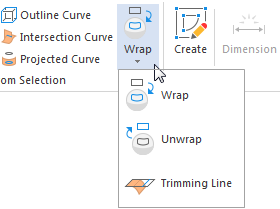
Select the option you want to use from the list.
Split buttons consist of two parts. Click the top part of a split button to select the currently displayed button:
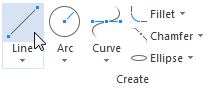
Click the bottom part of a split button to display a list of buttons:
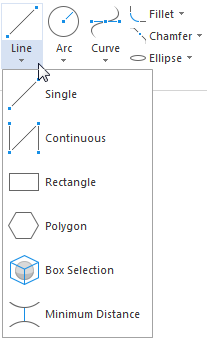
Select the option you want to use from the list. The icon on the top part of the button is updated to reflect your selection.
Tooltips
Move the cursor over a button to display its tooltip. A short hover displays first-level tooltip content, which provides a short description of the button command:
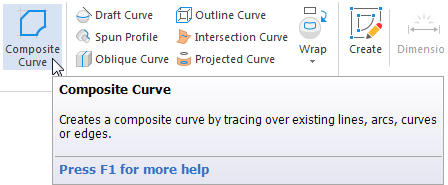
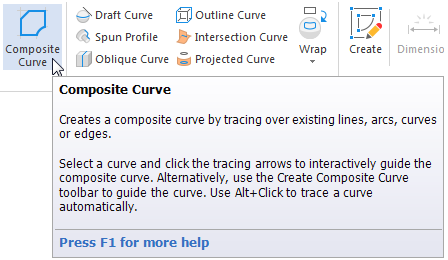
Where available, a prolonged hover displays the new, second-level tooltip content, which provides an extended explanation:
For further help, press F1 to display the relevant page of the Reference Help.