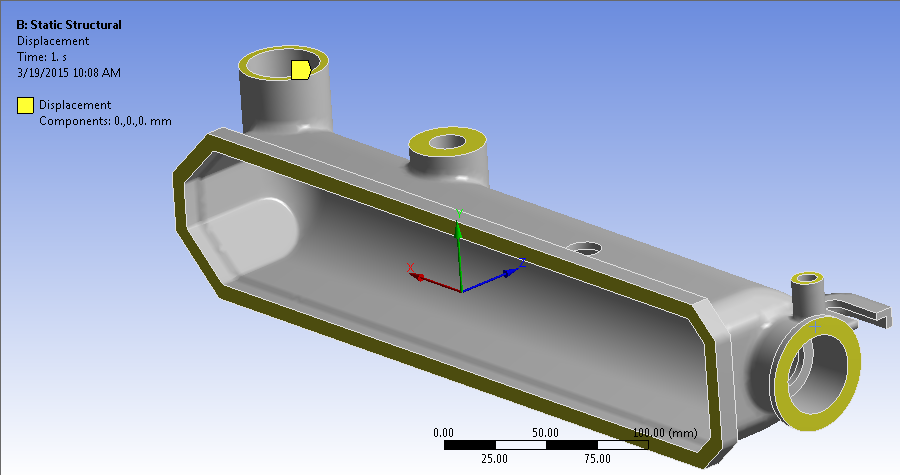
Apply boundary conditions that constrain the tank during the pressure loading.
- Select Static Structural from the model tree.
- Click and select the five surfaces of the tank as shown below.
- Click Apply to confirm the geometry selection.
- Enter 0 for the X, Y, and Z components of displacement.