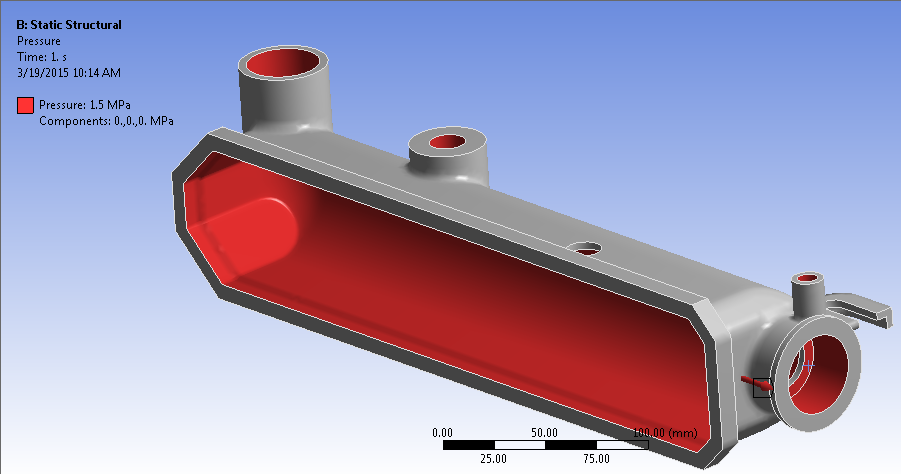
We will load the tank by applying an internal pressure of 1.50 MPa.
- Click and select the interior surfaces of the tank as shown below.
- Click Apply to confirm the geometry selection and enter a magnitude of 1.50 MPa.
We will load the tank by applying an internal pressure of 1.50 MPa.