Create a load step that defines the time incrementation for the load.
- Select Analysis Settings from the model tree.
- Set Auto Time Stepping to Off.
- Make sure Define By is set to Substeps.
- Enter 100 for the Number of Substeps.
- Change the Solver Type to Direct.
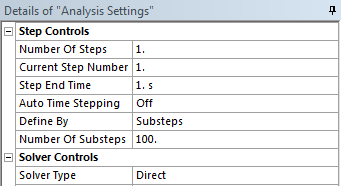
With these settings, the pressure loading will be applied over 100 increments.