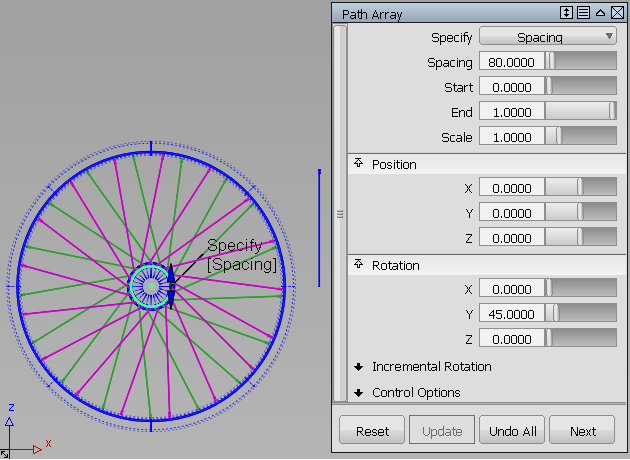
Transform > Path Array 
 lets you duplicate one or more objects and place the copies at equal distances along one or more curves, creating "stitch patterns".
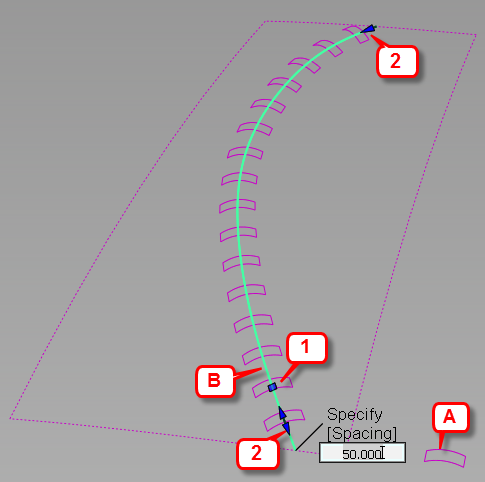
A: Stitch object. B: Target curve. 1: Spacing manipulator. 2. Range (Start/End) manipulators.
Through the option window and manipulators, you control the spacing, range, position, and orientation of the duplicates.
An example
In the following image, a spoke (two surfaces, shown to the right of the bicycle wheel) is duplicated and placed along a circular path curve (inner rim). The operation is repeated twice to create two sets of spokes: one rotated by 45 degrees around Y (in pink), and the other rotated by 315 degrees around Y (in green).