Tutorial: ImportExport
The ImportExport tutorial program shows how to convert a file from one file format (FBX binary, FBX ASCII, DAE, etc.) to another. For more information, see Importing and Exporting a Scene.
Operations include:
- Building and running a sample program using Visual Studio.
- Managing memory with SDK Manager.
- Creating an empty scene.
- Creating a file importer.
- Loading the import file into the scene.
- Creating a file exporter.
- Specifying the file format of the export file.
- Specifying whether media are embedded in the export file.
- Exporting the scene to the export file.
- Cleaning up and shutting down.
Builds and runs on Windows only.
Project Organization
The ImportExport project is located at <yourFBXSDKpath>\examples\UI Examples\importexport\.
ImportExport has two source files:
| Source file | Description |
|---|---|
| ImportExport.cpp | Platform-independent functions to convert files from one FBX-supported file format to another. The function with the main logic is ImportExport(). |
| UI.cpp | User interface to ImportExport(). The user interface code depends on the platform for which you downloaded the FBX SDK. We won’t look at this source file. |
User Interface
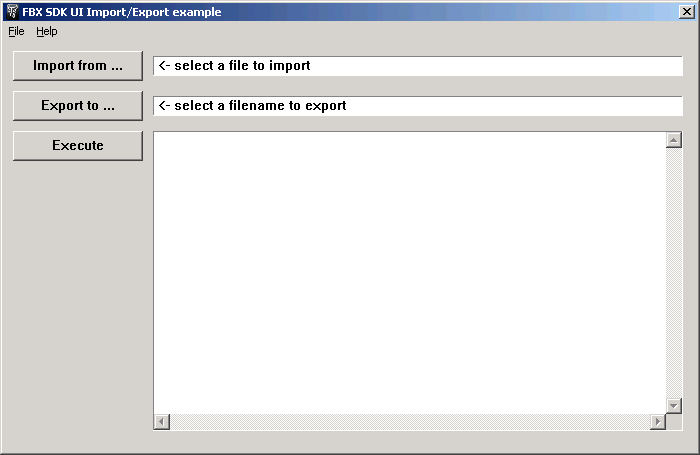
User interface to ImportExport tutorial program. Messages appear in the large textbox beside the Execute button.
Main Logic
ImportExport’s ImportExport() function contains the main logic of the file conversion program. ImportExport() does the following:
Accepts the following parameters from the calling program (i.e., UI.cpp):
- The path and name of the file to be imported;
- The name and path of the file to be exported;
- The file format for the file to be exported.
Creates an SDK manager object to manage the memory used by other FBX objects.
Creates a scene object to hold the data from the import file.
Creates an importer object to load the file into the scene.
Loads the data from the import file into the scene.
Saves the data from the scene to the export file.
Destroys the SDK manager, which makes sure that all FBX objects are destroyed, i.e., that all memory used by the SDK is released.
Returns control to the calling program.