By default, shots are rendered to the same format as the original footage. They can optionally be rendered to:
- DPX at 10b RGB, 8b RGB, 16bRGB, 16bRGBA
- Cineon at 10 and 8 bit RGB
- TIFF at 8 and 16 bits per channel, RGB and RGBA
- TARGA24 8b BGR
- TARGA32 8b BGRA
- Sgi at 8b RGB and 8b RGBA
- BMP 8b RGBA
- RGB OpenEXR 16-bit half float. If you output to this floating-point format, the float conversion LUT is applied to the output buffer for display. See Calibration Settings.
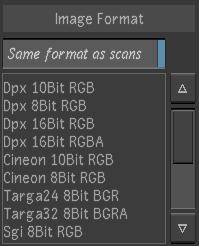
The Image Format dialog
To specify the output format:
- From the menu, choose Render > Output to access the Image Format menu.
- Do one of the following:
- To render to the same format as the originals, enable Same format as scans. This option is disabled if the colour transform selected in Render > Output converts from floating point to integer values. This is to avoid the potential confusion that could be caused if the input scans are OpenEXR, in which case the float conversion LUT (fclut) would be applied in the viewport as usual for floating-point inputs.
- To render to another format, disable Same format as scans and select an output format from the list.