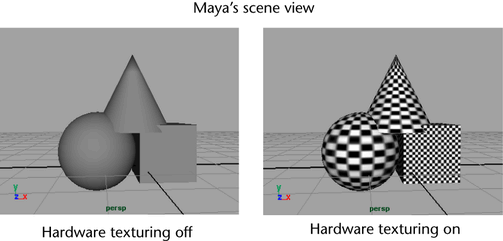
Hardware texturing, which you can easily turn on or off, lets you see approximations of the textures, lights and objects in your scene.
To see textures, lights, and objects in the viewport
- In the viewport panel menus, select Shading > Smooth Shade All.
- Select Shading > Hardware Texturing (or press the hotkey 6).
- To use the lights in your scene instead of the default lighting, select Lighting > Use All Lights (or press the hotkey 7).