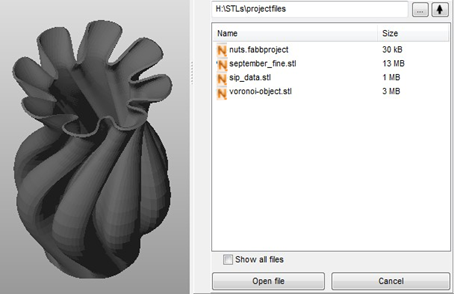
Use the File Preview Browser to examine files before adding them to your project. This tool loads tessellated models and slice files.
- Click
File >
 File Preview Browser.
The File Preview Browser opens in the context view.
- Click
 Browse to navigate to and add a file to the browser.
The File Preview Browser supports three-dimensional files and 2.5-dimensional slice files, in various file formats.
- Once you have added a file, select its name in the browser to preview it in the application window.
- Zoom and change perspective of the view as you would with open files.
- To insert a file from the browser into the active project, double-click it or select it and click Open File.