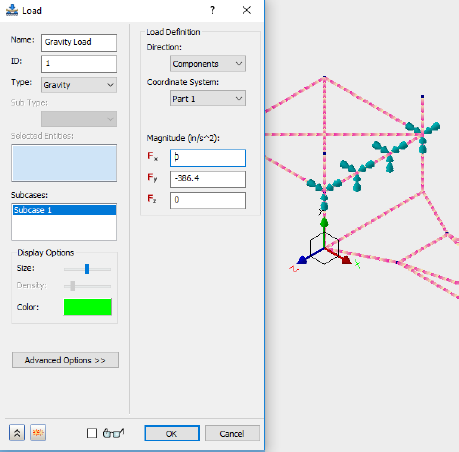
The load is applied as a gravity load on the surface of the bolt hole.
- Copy the following text:
strCmdForLoad = "<Load Name=""Gravity Load"" ID=""1"" Type=""3"" SubType="""" EntitiesCount=""1"" Subcases=""1"" ArrowLength=""50"" ArrowColor=""65280"" DisplayDensity=""4"" Direction=""0"" CoordinateSystemID=""0"" Display=""1"" Fx=""0.0[N]"" Fy=""-9.81456[N]"" Fz=""0.0[N]"" HasVariableLoad=""0"" HasHeatGenTable=""0"" HadConvCoeffTable=""0"" HasRadTable=""0"" HasTransTable=""0"" HasVelTransTable=""0"" HasAccTransTable=""0"" HasVelFreqTable=""0"" HasAccFreqTable=""0"" HasFreqTable=""0"" HasFreqPhaseTable=""0"" HasAccFreqPhaseTable=""0""><Entity1 GeometryType=""0"" GeometryID="""" ComponentName=""Tutorial 2""/></Load>"
Type = 3 denotes the use of a gravity load. GeometryType = 0 denotes that the load is applied on all the vertices of Subcase 1.
These commands are equivalent to applying the load with the user interface.
- Paste the text below the existing commands in the Edit Rule dialog.
- Press the Enter or Return key twice to jump down to a new line.