- In the tree view, right-click on Analysis 1 and choose Edit.
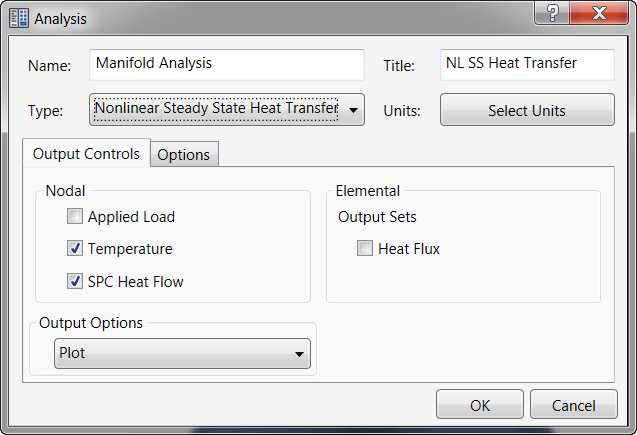
- Type Manifold Analysis for Name, and NL SS Heat Transfer for Title. Select Nonlinear Steady State Heat Transfer from the Type drop-down menu.
- The dialog should look as shown below.
- Click OK to finish setting up the analysis and return to the tree view. The model is now ready to be analyzed.